Google Shopping Overview Dashboard
Your whole Google Shopping account on one screen. Eight KPI charts at the top, day-of-week heatmap, brand performance breakdown, impression-share over time, portfolio health summary, revenue-concentration Pareto, and a daily wasted-spend tracker — the view to open first thing every morning.
No signup required to explore the demo.
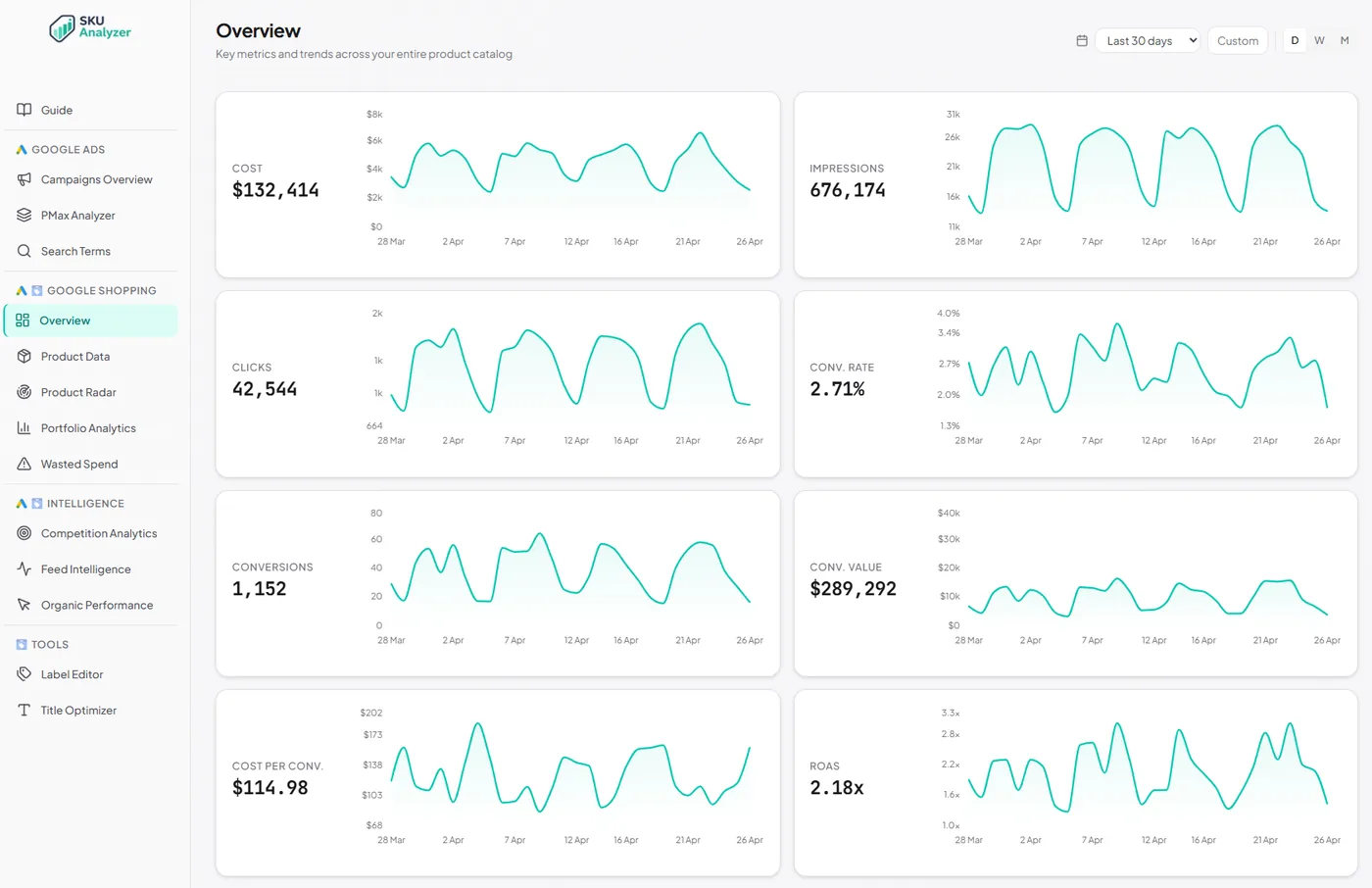
Your whole Shopping account on one screen
Seven distinct blocks — KPI charts, weekday heatmap, brand performance, impression share, portfolio summary, revenue concentration, wasted-spend tracker — all recalculating with the date-range picker.
-
✓
8 KPI charts at the top — Cost, Impressions, Clicks, Conv. Rate, Conversions, Conv. Value, Cost per Conv., and ROAS. Each shows the total plus a daily area chart over the selected period.
-
✓
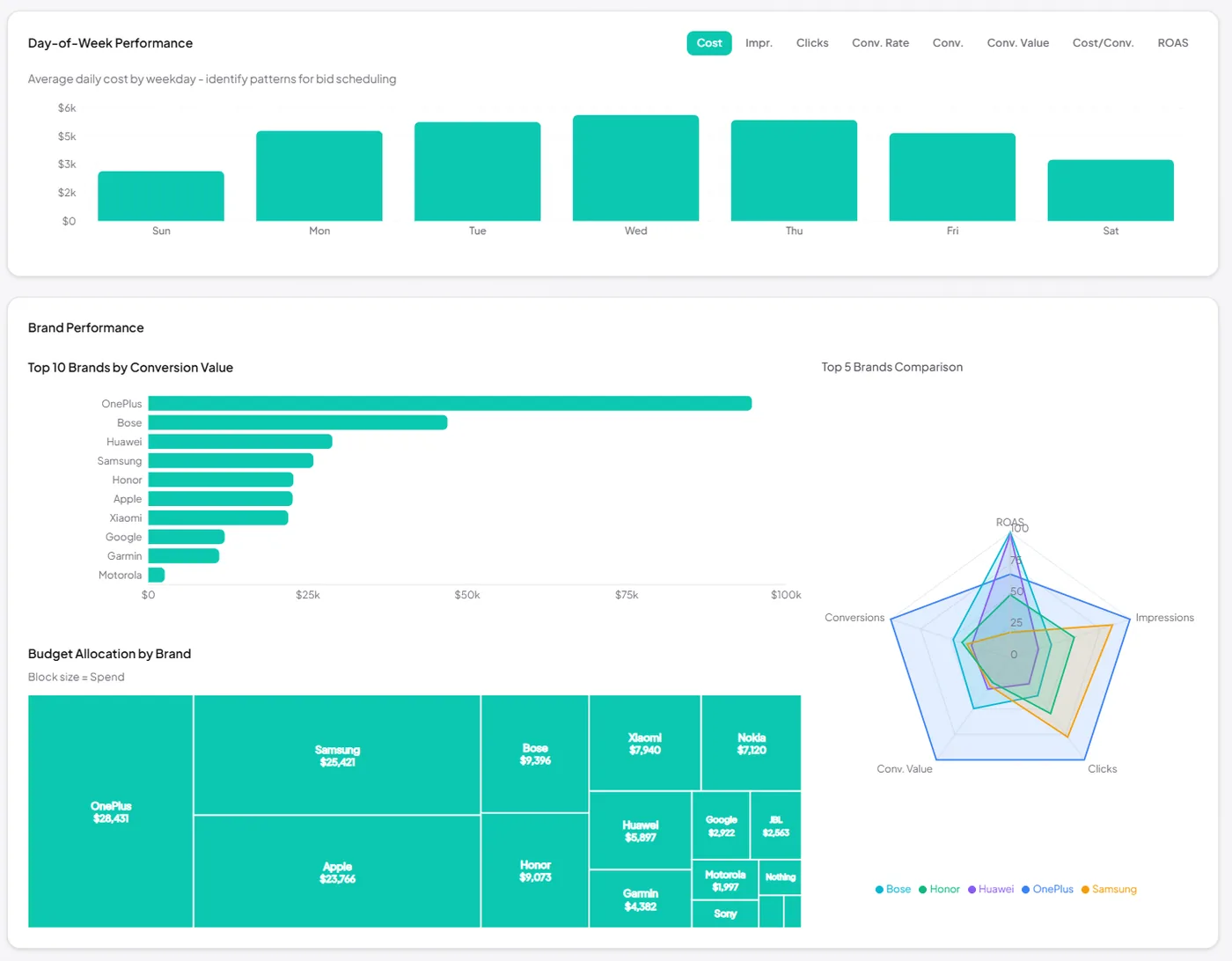
Day-of-week performance heatmap with a metric toggle (cost, revenue, conversions, clicks, impressions). Weekday patterns hidden in time-series jump out here.
-
✓
Brand performance breakdown — top 10 brands ranked by conversion value as a bar chart, a treemap of budget allocation by brand (block size = spend), and a brand impression-share radar.
-
✓
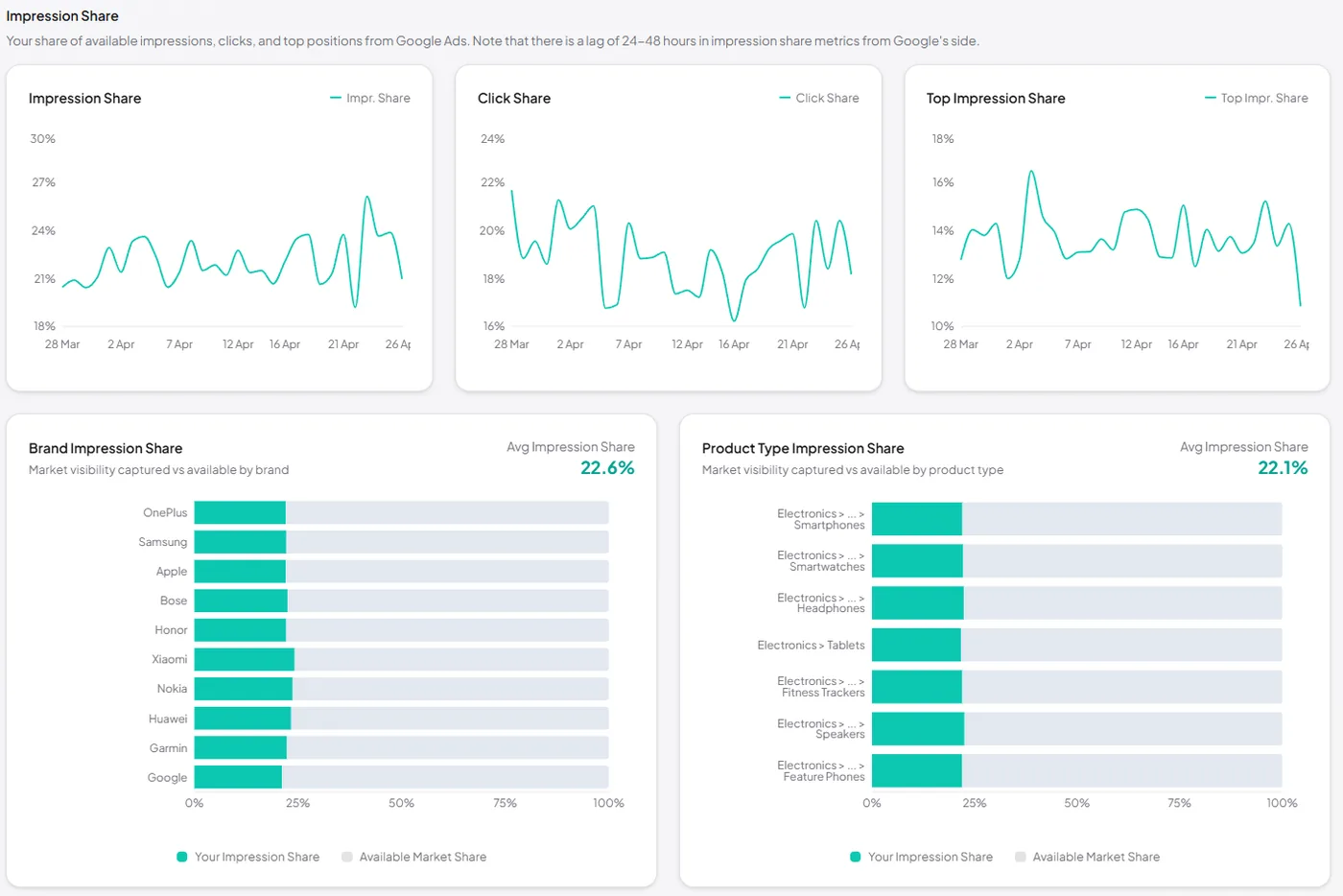
Impression Share over time — Impr. Share, Click Share, and Top Impr. Share plotted day-by-day, plus impression share broken out by brand and by product type.
-
✓
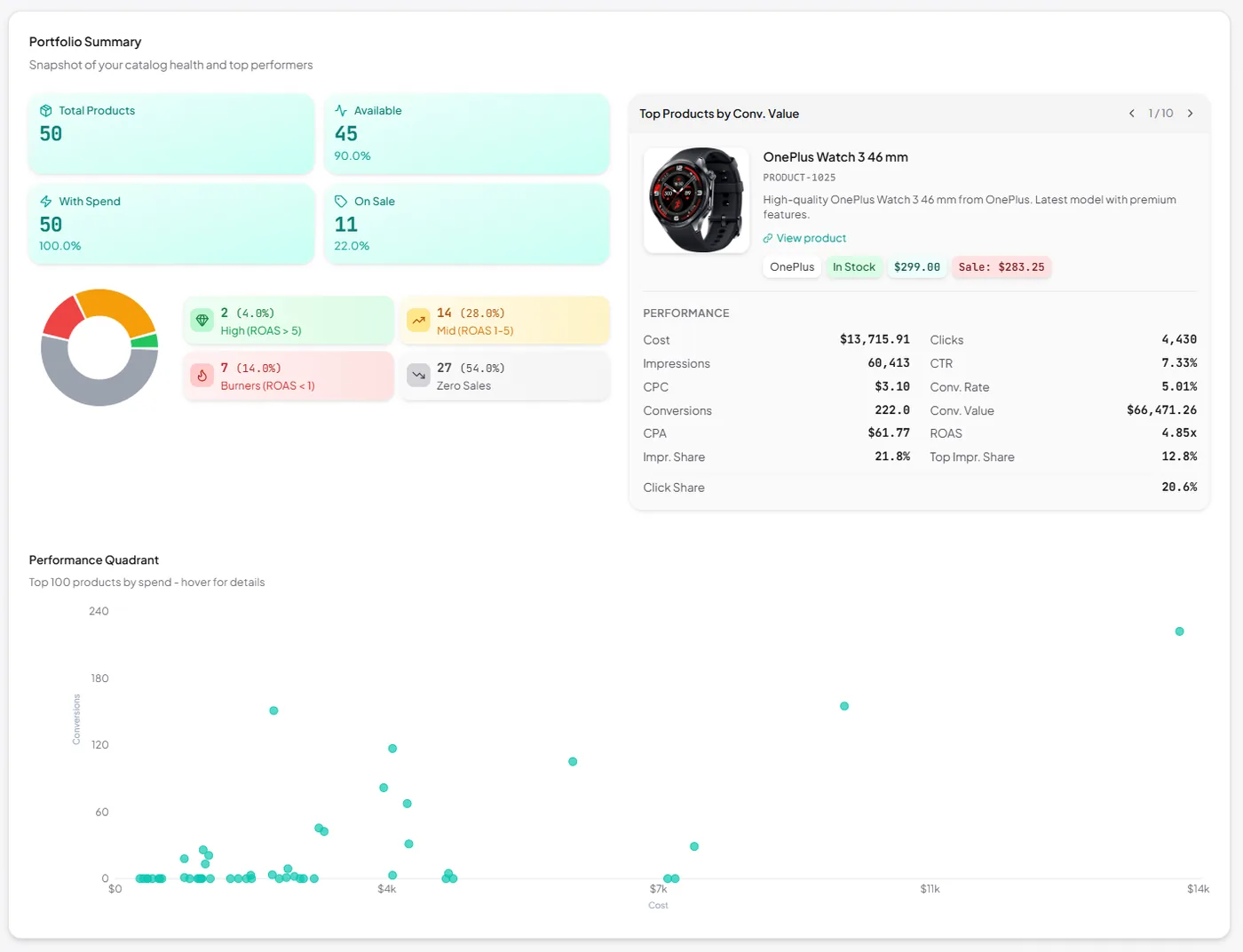
Portfolio summary — total products, available, with spend, on sale; a performance pie classifying SKUs as High Performers, Mid Performers, Burners or Zero Sales; and a top-10 revenue carousel.
-
✓
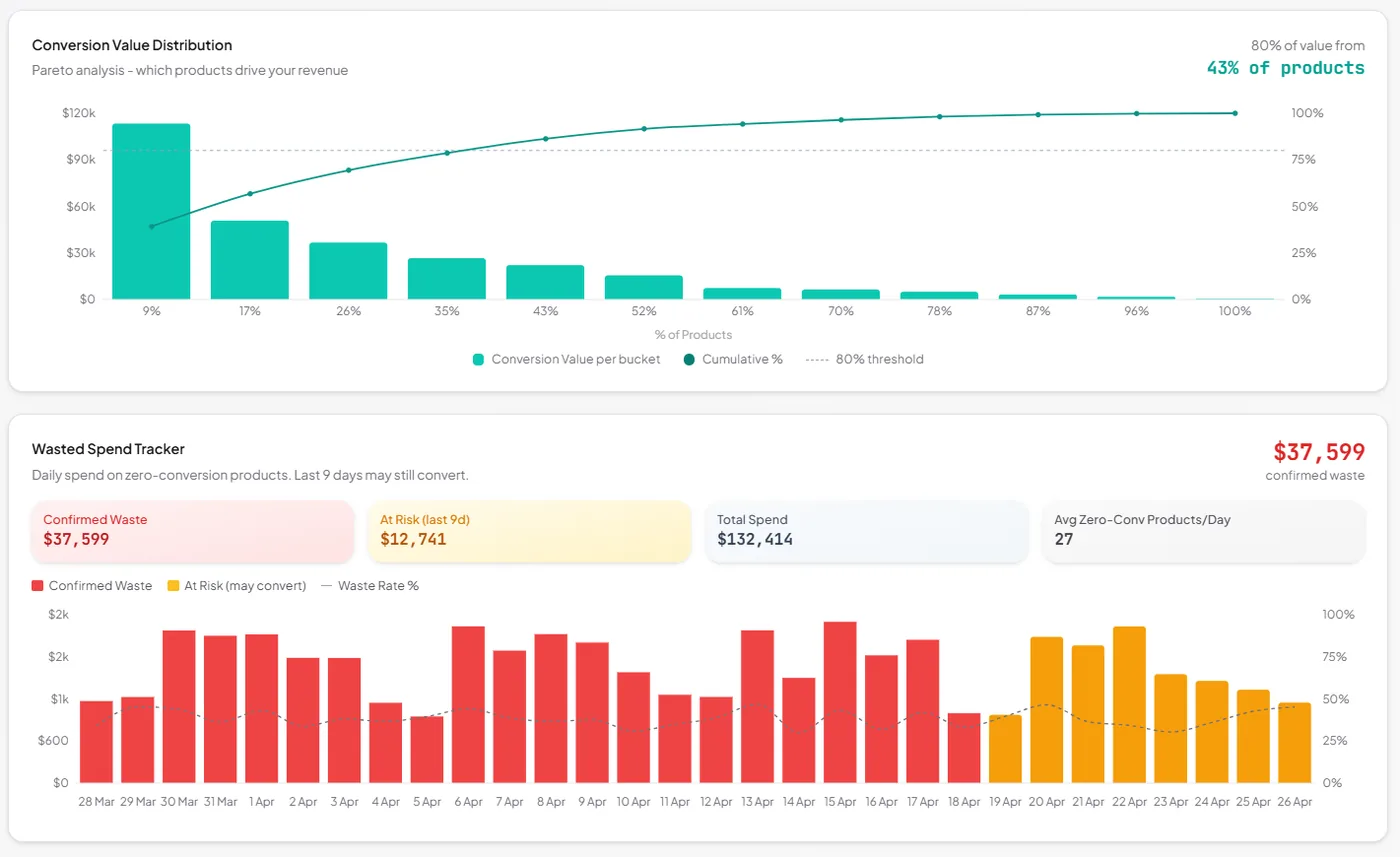
Revenue-concentration Pareto chart — see how many products generate 80% of your conversion value. Spot catalog concentration risk at a glance.
-
✓
Daily wasted-spend tracker — stacked area chart that separates confirmed waste from at-risk spend, conversion-lag aware so you don't cut winners too early.
Related reading
The metrics behind these cards — how to read them, and where they mislead.
- Shopping Analytics How to Calculate & Improve ROAS The formula, realistic benchmarks, and seven levers that actually move it. Read the guide →
- Shopping Analytics Google Shopping Reporting Where Shopping performance data lives across Google Ads and Merchant Center. Read the guide →
- Shopping Analytics Understanding Conversion Lag Why your last seven days always look worse than they really are. Read the guide →
- Shopping Analytics Why Last-Click ROAS Lies Last-click understates Shopping value by 20–40%. What to use instead. Read the guide →