Shopping Search Term Reports — Find Wasted & Winning Queries
Standard Shopping and PMax search queries in one sortable table — including the PMax queries Google Ads barely lets you see. A wasted-terms tab isolates zero-conversion queries, branded vs non-branded analysis splits prospecting from brand defence, and a top-terms bar chart surfaces the outliers.
No signup required to explore the demo.
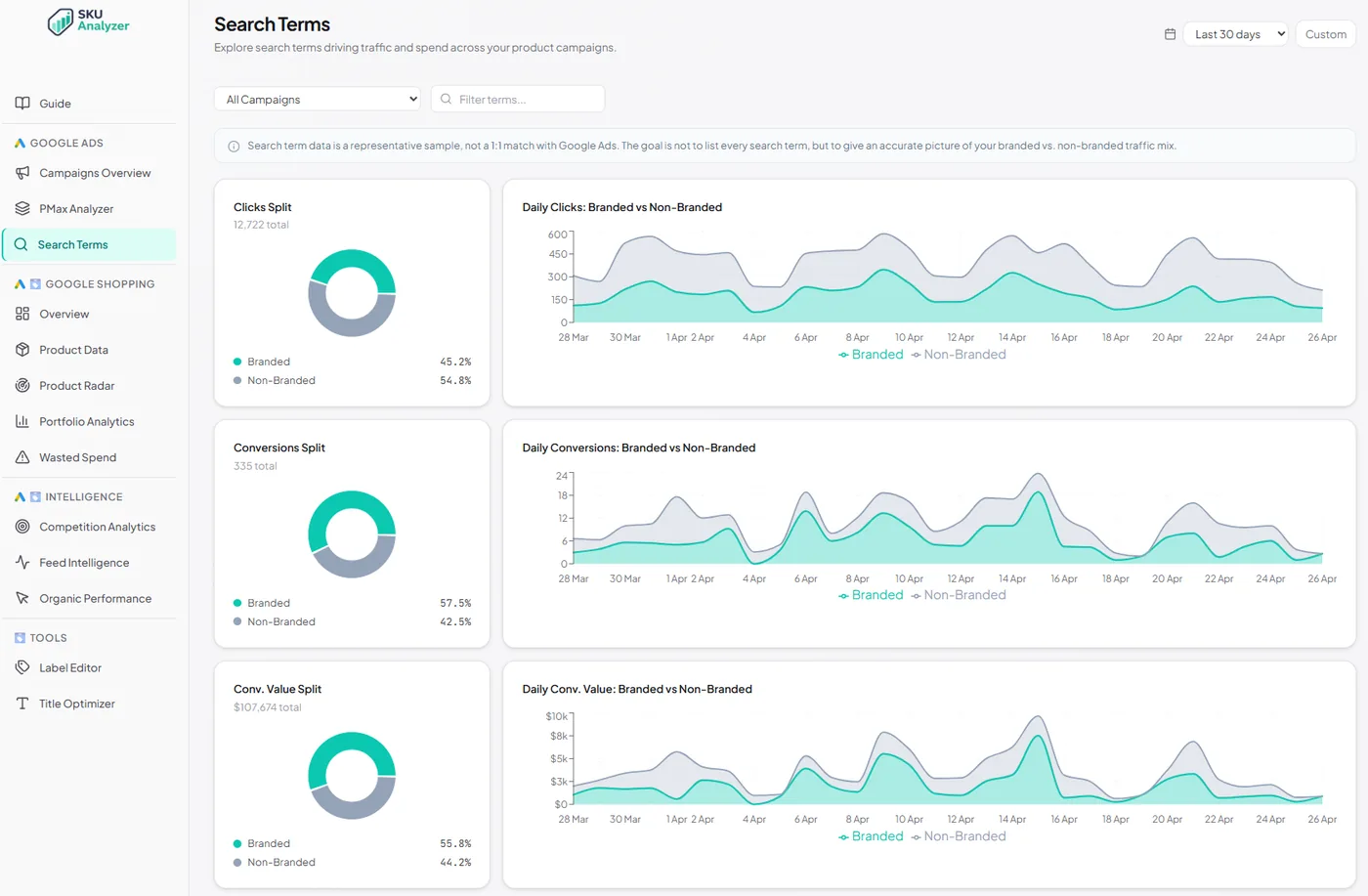
Every search query that triggered your ads
Shopping and PMax search terms unified in one place — with the bad ones called out, the brand defence carved off, and the heavy hitters ranked.
-
✓
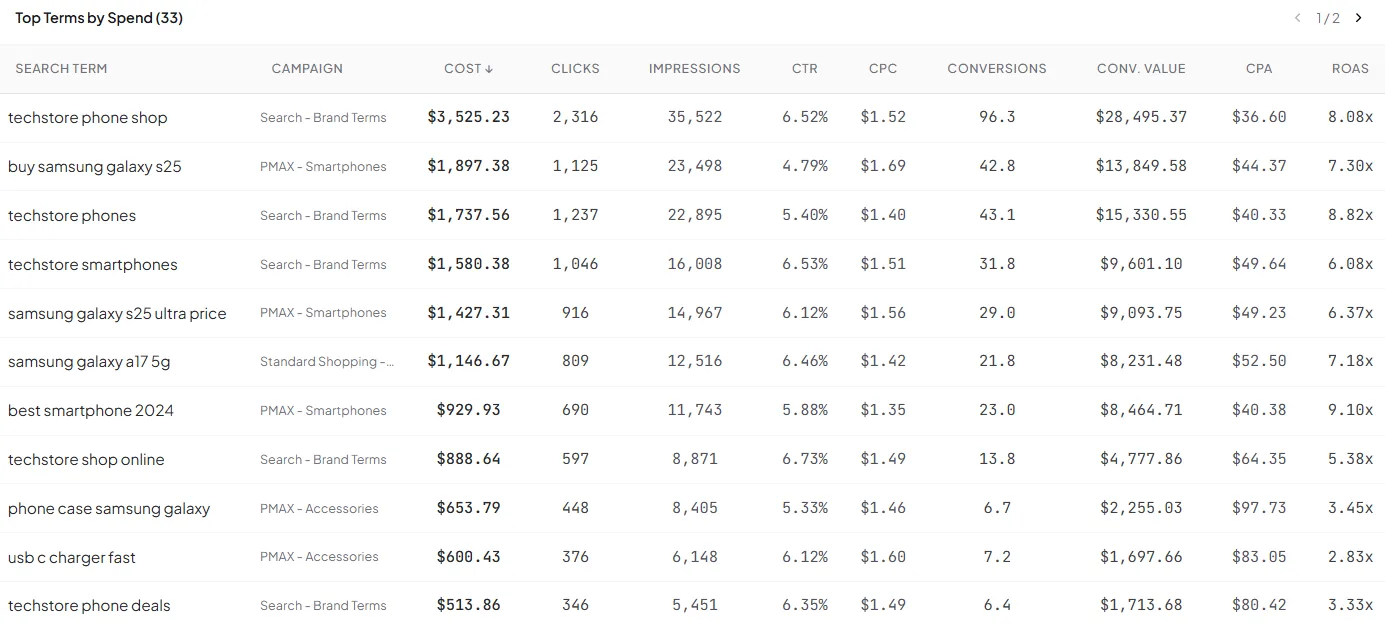
Every search query in one sortable table — query text, cost, clicks, impressions, conversions, revenue, ROAS and CPC. Aggregated across Standard Shopping and PMax campaigns.
-
✓
Wasted-terms tab isolates zero-conversion queries. Sort by cost and you have an instant negative-keyword priority list, including PMax queries Google Ads makes hard to access.
-
✓
Branded vs non-branded analysis — define your brand keywords once and every term gets classified. Pie chart of the spend split, daily stacked area chart of the trend.
-
✓
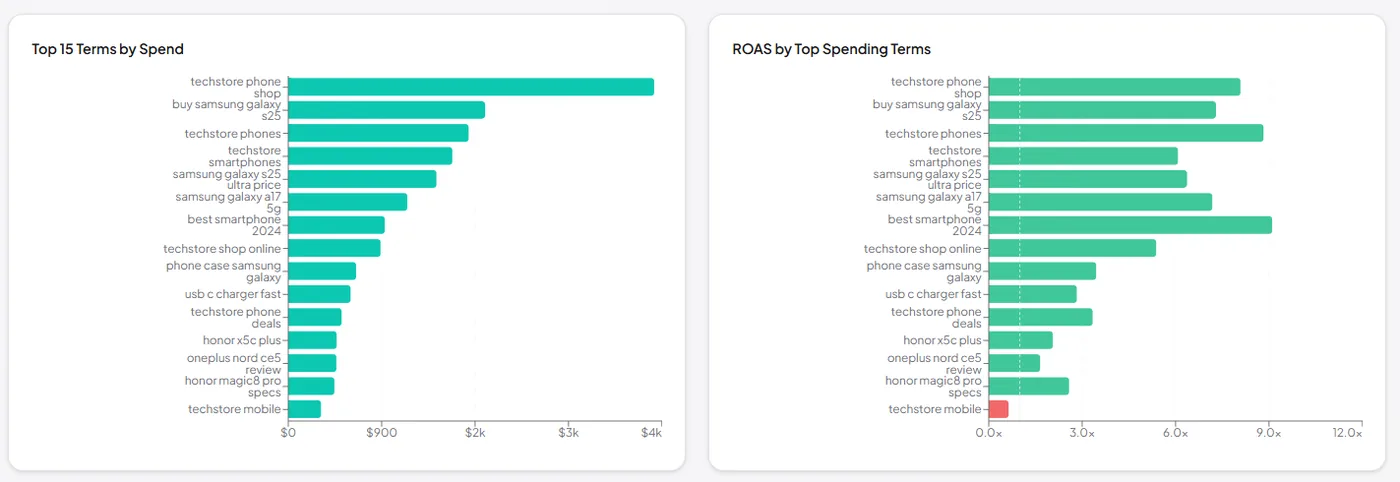
Top-terms bar chart with metric toggle (cost, clicks, conversions, revenue) so the outliers surface visually.
-
✓
Campaign filter dropdown — narrow everything on the page to a single Shopping or PMax campaign in one click.
Related reading
Turning query data into spend decisions.
- Shopping Analytics Branded vs Non-Branded Queries How to classify the split and benchmark it against typical stores. Read the guide →
- Google Shopping Negative Keywords for Shopping Cutting the queries that never convert, without over-blocking. Read the guide →
- Shopping Analytics Products Wasting Budget Tracing wasted queries back to the products paying for them. Read the guide →
- Campaign Strategy Brand vs Non-Brand Campaigns Structuring campaigns around the brand and non-brand divide. Read the guide →