Automated Custom Labels for Google Shopping
Build label rules from any combination of performance metrics (ROAS, cost, conversions, CPC…) and Merchant Center attributes (brand, product type, price gap, availability…). SKU Analyzer evaluates them every day and pushes the result to Merchant Center as custom_label values — not 4 fixed buckets like everyone else.
No signup required to explore the demo.
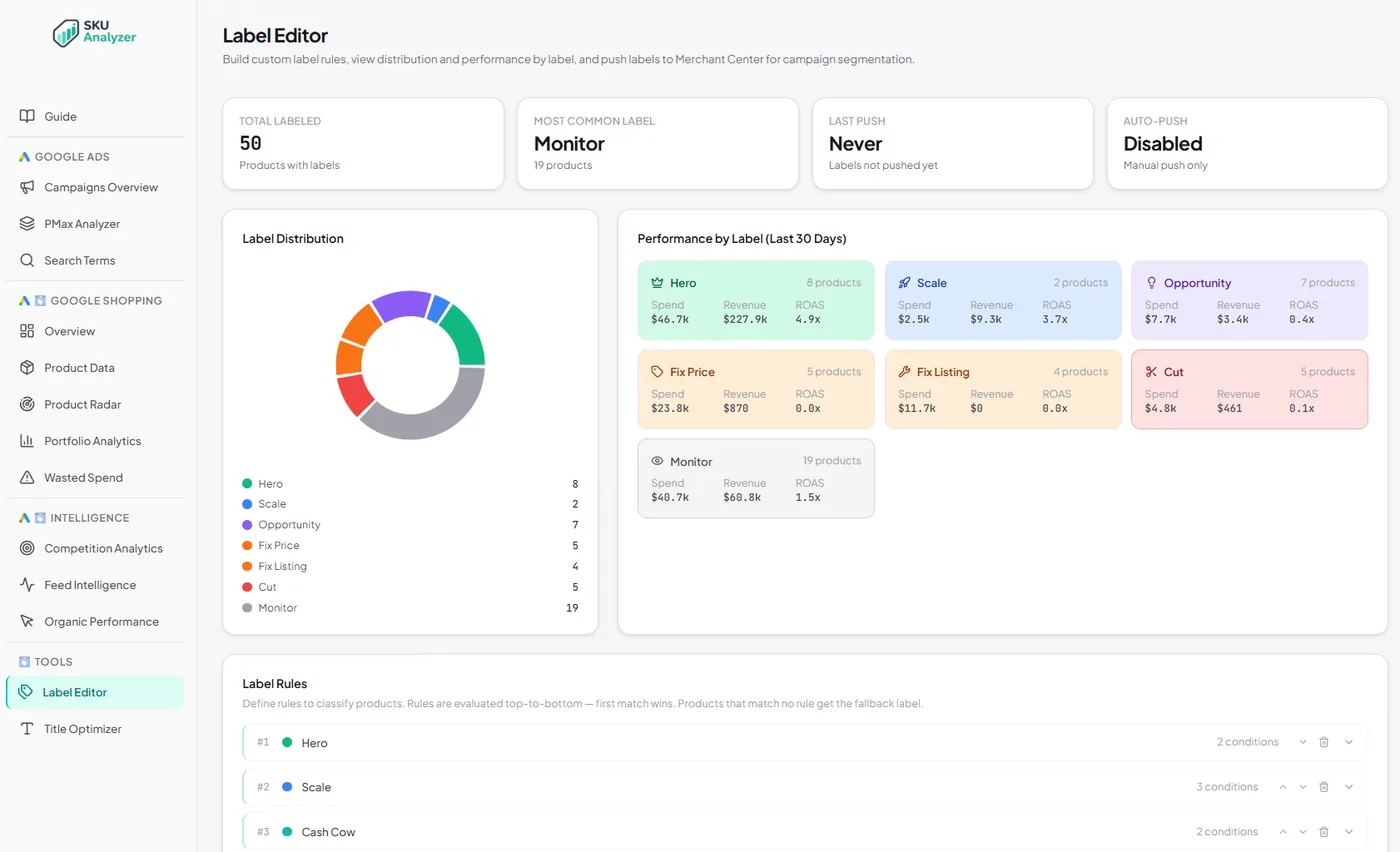
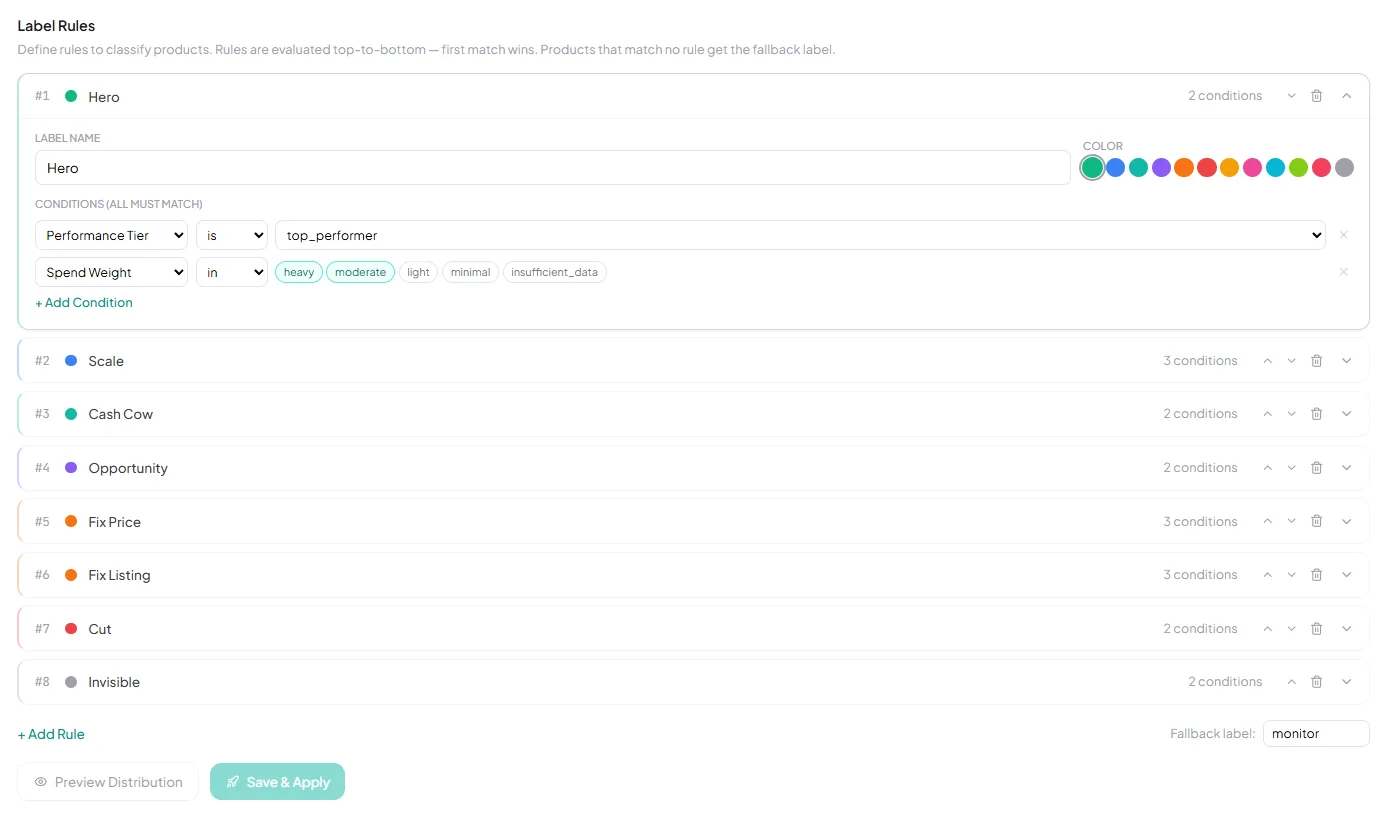
Custom label rules with 40+ conditions
Build the classification logic you actually want, then let it auto-push to Merchant Center every day.
-
✓
Rules from any performance metric AND any feed attribute — ROAS, cost, conversions, CPC, impressions, brand, product type, price-gap status, availability, and more. Multiple conditions per rule, all AND-combined.
-
✓
Priority-ordered evaluation — first matching rule wins, so a "Premium Underperformer" can override a generic "Underperformer" classification.
-
✓
Label distribution donut + performance per label — see how many products fall in each bucket and what spend / revenue / ROAS each is producing.
-
✓
Push to Merchant Center daily — pick the custom_label slot (0–4), labels recalculate every day during the 3 AM refresh and auto-push if you turn it on. Your primary feed is never touched — everything goes through a supplemental data source.
-
✓
Full push history log with timestamps and product counts — you have an audit trail of every label change.
Related reading
Labels are only as useful as the rules behind them.
- Google Shopping Google Shopping Custom Labels Setup, naming conventions, and the strategies labels unlock. Read the guide →
- Google Shopping Product Labeling Tools Compared How six labeling tools differ, SKU Analyzer included. Read the guide →
- Merchant Center Supplemental Feeds Guide The delivery mechanism for labels you cannot set at source. Read the guide →
- Campaign Strategy Brand vs Non-Brand Campaigns One of the highest-value ways to slice a labelled catalog. Read the guide →